主题
检查器
🌐 Inspector
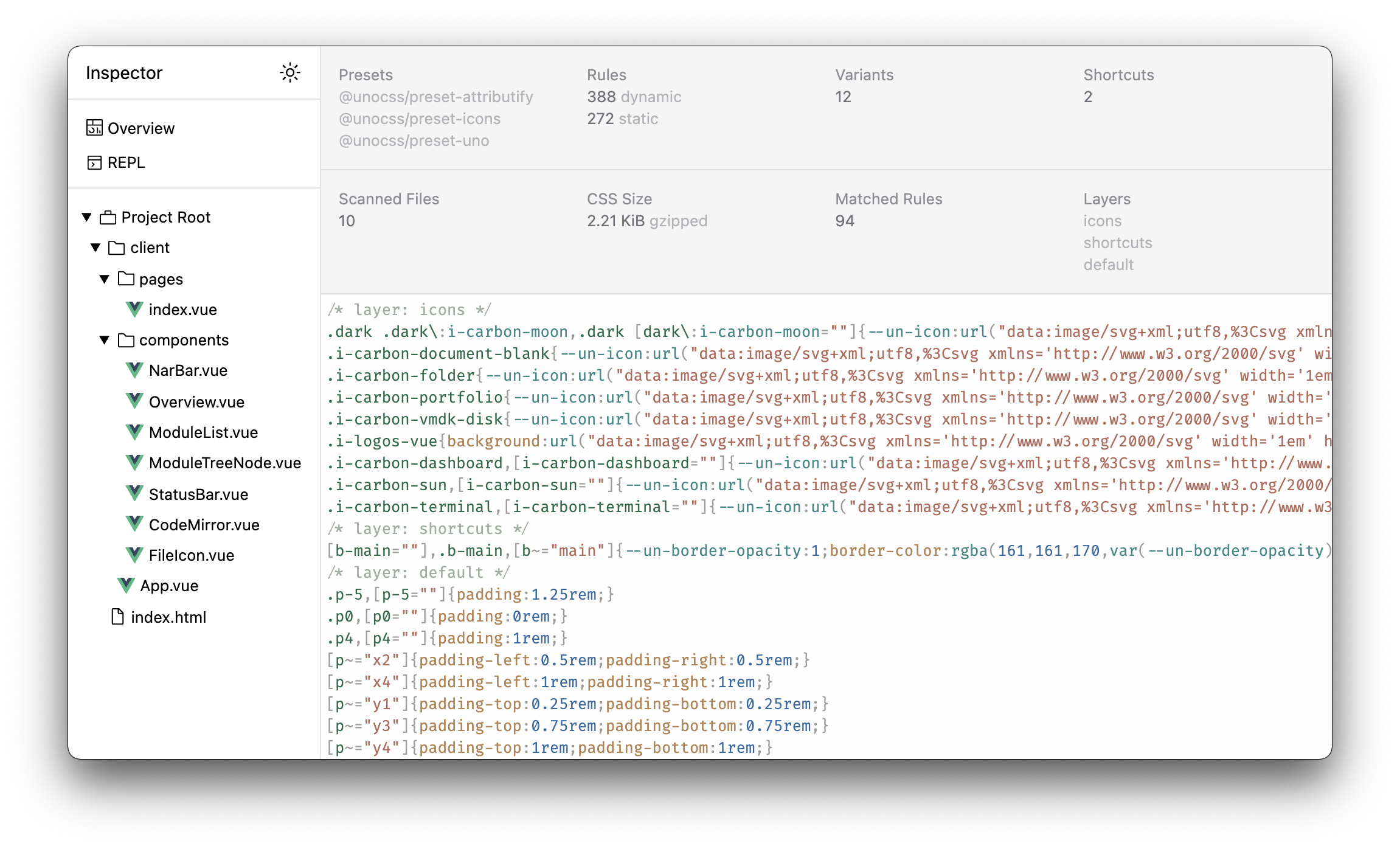
UnoCSS 的检查器界面:@unocss/inspector。 随 unocss 和 @unocss/vite 一起提供。
🌐 The inspector UI for UnoCSS: @unocss/inspector. Ships with unocss and @unocss/vite.
检查器允许你查看生成的 CSS 规则以及每个文件应用的类。它还提供了一个 REPL,让你可以根据当前配置测试你的工具函数。
🌐 The inspector allows you to inspect the generated CSS rules and the applied classes for each file. It also provides a REPL to test your utilities based on your current configuration.
基于 devframe 构建,这个检查器可以通过多种方式托管。
🌐 Built on top of devframe, the inspector can be hosted in several ways.
Vite 开发工具(推荐)
🌐 Vite DevTools (recommended)
当安装了 Vite DevTools (@vitejs/devtools) 时,检查器会自动以 UnoCSS 停靠窗格 的形式挂载在其中——无需授权提示,还支持实时更新。
🌐 When Vite DevTools (@vitejs/devtools) is installed, the inspector is mounted automatically as a UnoCSS dock inside it — no auth prompt, live updates included.
vite build 使用 DevTools 的静态构建还会将检查器数据的预计算快照打包到导出文件中,这样即使没有开发服务器也能查看分析内容。
独立网址
🌐 Standalone URL
在你的 Vite 开发服务器中访问 localhost:5173/__unocss 即可查看检查器。
首次使用时,输入打印在你开发服务器终端的六位一次性代码来解锁它(令牌会在每个浏览器中记住)。当 Vite DevTools 激活时,该 URL 会直接重定向到 DevTools 界面。
🌐 On first use, enter the one-time 6-digit code printed in your dev server terminal to unlock it (the token is remembered per browser). When Vite DevTools is active, this URL redirects into the DevTools UI instead.
INFO
独立的 URL 已经是淘汰的用法——现在推荐使用 Vite DevTools 停靠面板来使用检查器。
其他主持人
🌐 Other hosts
@unocss/inspector/devframe 将检查器导出为可携带的 devframe 定义,可以被任何 devframe 主机挂载:
createInspectorDevframe(ctx)— 将检查器绑定到现有的 UnoCSS 插件上下文。createStandaloneInspectorDevframe(options)——通过扫描项目文件构建一个独立的上下文,适用于没有打包器集成 UnoCSS 上下文的主机(例如通过@devframes/next在 Next.js 应用中使用@unocss/postcss)。